YOUTUBE SHORTS VIDEO PRESET

Resize Video for YouTube Shorts

The YouTube Shorts 9:16 preset is selected automatically. Drag the focal point, adjust zoom, and export without uploading your source video.

Preset applied automatically: 9:16 · YouTube Shorts
✓ No upload✓ No account required✓ Start immediately after selecting a video
▶
Drop your video hereMP4, MOV, WebM, WMV, and moreor● Nothing is uploaded
01

How to use this preset

  1. Choose one source video.
  2. Review the YouTube Shorts 9:16 crop and reposition the subject.
  3. Export a platform-ready H.264 MP4.
02

Your video stays private

The File API, WebCodecs and FFmpeg.wasm run in this browser. Your source video is never sent to our server.

MP4 · MOV · WebM · WMV

Landscape to Shorts: see what the crop removes

A 9:16 crop fills a vertical frame by removing the sides of a 16:9 source. It does not squeeze the entire landscape image into the frame. At 1× with no rotation, only about 31.6% of the original width remains.
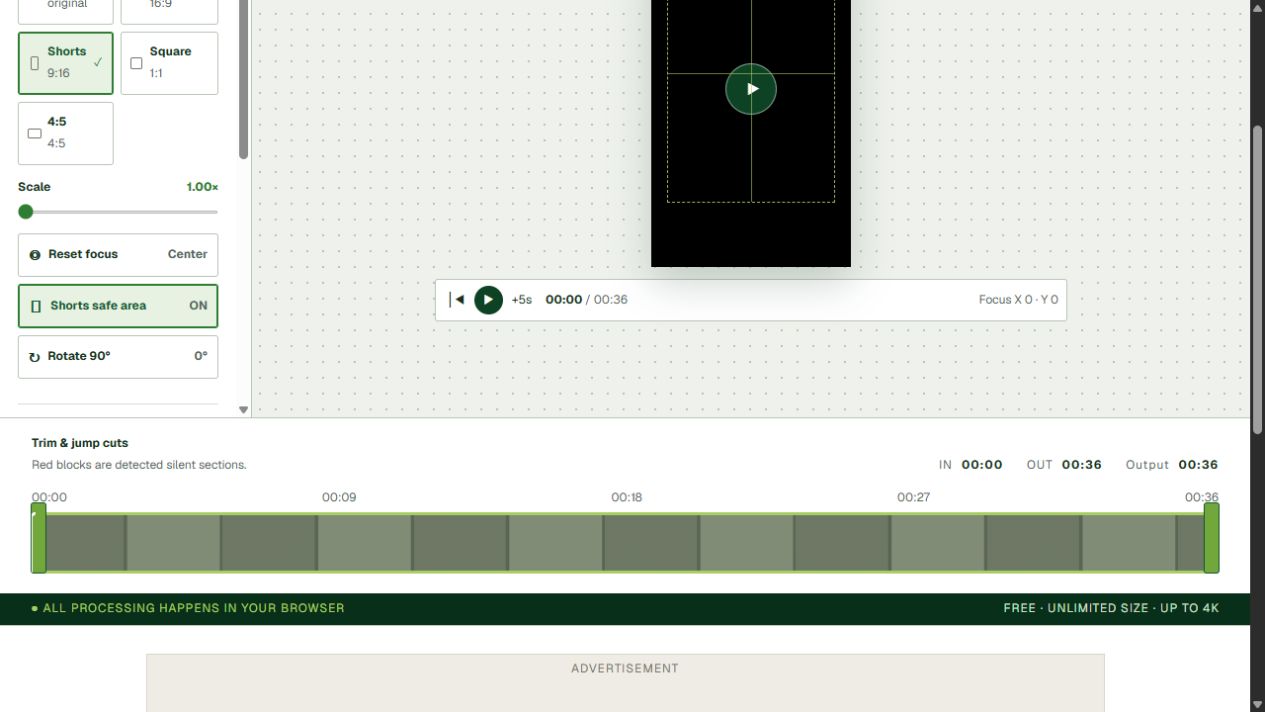
YourVideoTool showing a local landscape video reframed with the YouTube Shorts 9:16 preset
Actual Shorts preset workflow. Dragging the preview changes the retained focal region used by export.
Before: 16:9 source→After: 9:16Retainedregion
Interactive crop geometry; move the control below to see how focal position changes the retained region.

Set the focus in your real video

  1. Select a local landscape video. This page automatically selects 9:16.
  2. Start at 1× zoom and drag the preview to keep the subject inside the frame. Increasing zoom crops more.
  3. Scrub the beginning, middle and end. A fixed focal point does not follow a moving face automatically.
  4. Check captions and logos near the edges. Safe-area guides are references; platform overlays can vary.
  5. Export, then compare the MP4 with the preview at the same timestamps. Confirm crop, rotation and audio before publishing.

Frequently asked questions

Does the Shorts preset stretch my landscape video?

No. It fills a 9:16 frame by cropping the sides. Drag the focal point to decide which part of the source remains visible.

Can I keep the entire 16:9 frame?

Choose Original to preserve the full frame. A full-width landscape image will otherwise need letterboxing to fit a vertical canvas.

Does the tool automatically track faces?

Not currently. The focal point is fixed, so review the beginning, middle and end when the subject moves.

Will the downloaded MP4 match the preview?

The export uses the same ratio, zoom, focal-point offset, rotation, captions and watermark settings. Review the downloaded MP4 before publishing.

Creator toolsEverything stays local
⇣Compress videoOpen dedicated tool→25Compress to 25MBOpen dedicated tool→◉Edit your YouTube videoOpen dedicated tool→▥Resize for ShortsOpen dedicated tool→
01Truly local processingFile APIs, WebCodecs, and WebAssembly all run in your browser.
02Every feature is freeNo file-size limit, with up to 4K, batch, and advanced tools.
03No server copyNo video upload endpoint and no account required.